ERP or CRM for marketing automation: what's the difference?
ERP and CRM are often mistakenly seen as interchangeable solutions. In fact, these systems have different goals:- CRM (Customer Relationship Management) - to manage customer relationships. CRM helps to track communications, manage leads, and form a sales funnel.
- ERP (Enterprise Resource Planning) - for full automation of business processes: from project management to finance, warehouse, HR, and even marketing.
Benefits of ERP for marketing automation
ERP implementation provides marketing teams with a number of key benefits:- Reducing the human factor: routine tasks that used to require employee time are automated.
- Save time and money: employees focus on analytics, creativity, and strategy rather than technical actions.
- Transparency and control: easily track the effectiveness of campaigns, resources, and team workload.
- Process integration: everything in a single system - from planning to reporting.
Important: ERP will only be effective if you have described and organized business processes. Otherwise, you should start with an audit.
Odoo - a universal ERP solution for marketing automation
Odoo is an open-source ERP system that works on a modular design principle. This allows you to customize it to the needs of a particular company, without unnecessary functions.Here are the features modulesthat are best suited for a marketing agency:- CRM: a full-fledged lead management tool integrated with other Odoo modules.
- Marketing automation: creating campaigns, scenarios, and tracking results.
- E-mail marketing: setting up email campaigns, reporting, A/B testing.
- Social media marketing: centralized content management across multiple networks.
- Website builder: creation of landing pages and websites without knowledge of code.
- Project management: Kanban, deadlines, task control.
- Time tracking: convenient timekeeping and accounting of team working hours.
What tasks of a marketer are automated by Odoo ERP
- tracking the sources of lead generation (UTM tags: campaign, source, medium)
- calculation of the cost of a lead for each channel
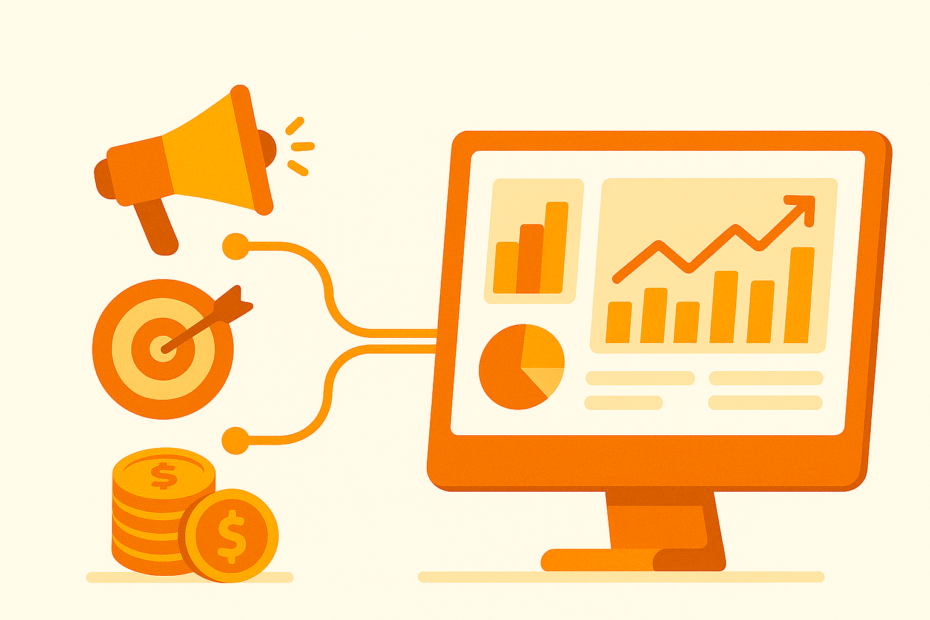
- automatic construction of a sales funnel with a breakdown by channels
- calculating the ROI of marketing campaigns
- base segmentation: new leads, repeat sales, LTV
- automatic generation of weekly reports for the manager
Odoo tools to automate marketing and analytics
What can be used in standard Odoo:- UTM is a basic module for collecting utm_source, utm_campaign, utm_medium
- CRM Dashboards - summarizing KPIs by source
- Marketing Automation - automatic email campaigns + reports
- Automated Actions + Email Templates - automatic report sending
- Odoo Studio - for customizing dashboards
What it looks like in practice
After implementing Odoo ERP:- all UTM tags are automatically pulled into the lead card
- the sales funnel is built by channel
- the dashboard shows not only the number of leads, but also the revenue for each channel
- a report on the effectiveness of marketing campaigns is sent to the manager by email every Monday
Example of UTM tag structure for implementation in Odoo ERP
To automatically track lead sources in CRM, it's important to set up UTM tags in all advertising links correctly.An example of a link with UTM tags:https://yourdomain.com/?utm_source=google&utm_medium=cpc&utm_campaign=brand&utm_term=odoo_erp&utm_content=text_adBasic UTM parameters and their purpose:
| Field. | Example. | Appointment |
|---|---|---|
| utm_source | google / facebook / email / linkedin | Traffic source |
| utm_medium | cpc / organic / referral / email | Type of traffic |
| utm_campaign | brand / summer_sale / retargeting | Campaign name |
| utm_term | odoo_erp / automation / integrator | Keyword (for contextual advertising) |
| utm_content | text_ad / banner_1 / video_ad | Ad version or content |
Tip: Use a single standardized UTM tagging system across all channels. This will allow you to receive clean reports without "clogging" sources.
Common mistakes when implementing UTM in Odoo ERP
To ensure that analytics in Odoo ERP gives accurate results, it is important to avoid common mistakes. Here's what you should pay attention to:- ✘ Non-standardized UTM tags → "garbage" in reports
- ✘ Lack of control over UTM in all channels
- ✘ No UTM transfer to CRM → analytics is incomplete
- ✘ No automatic report distribution → manual work
- ✘ Lack of a single dashboard for the manager
Recommendation: Before implementing analytics, create checklist for working with UTM for your marketing team. This will help you avoid common mistakes and provide high-quality reports in Odoo ERP.
Useful modules for marketing analytics in Odoo ERP
The following modules and tools can be used to enhance marketing analytics capabilities in Odoo:| Module / Tool | What it is suitable for |
|---|---|
| utm | Basic support for UTM tags |
| utm_source / utm_campaign fields | Displaying sources/campaigns in CRM |
| Automated Action | Automatic report distribution |
| Marketing Automation | Automatic campaigns + email reports |
| Odoo Studio | Additional fields + dashboards |
| BI Connectors | Connecting Power BI / Google Data Studio |
| Google Analytics connector | Integration of GA analytics into Odoo ERP |