Integration of Odoo with Goodop
Dobrohop is a popular Ukrainian e-commerce platform used by thousands of entrepreneurs to develop online sales. To efficiently manage a large assortment of products, control inventory, and process orders without errors, you need ERP integration with Okhorop. The software acts as a master system for the product catalog, where all items are created and edited. It is in the Odoo ERP that warehouse balances are formed, which allows you to synchronize the current availability of goods on the site and avoid selling missing items.
Prices are also calculated in the program, taking into account margins, promotional offers and different customer segments, and then automatically transferred to the online store. Orders placed on the website are automatically imported into the system, where they are further processed. The integration provides a single data management center, increases the accuracy of accounting, and simplifies the operational processes of the online store.
Benefits of synchronizing data between ERP system and Goodop
Data synchronization between the ERP system and Goodop helps to unite all key processes in a single environment, providing transparency, control and the ability to scale without chaos and unnecessary costs. This means that every order, product, and financial transaction is reflected in a single structure. What does the ERP integration for Goodop:
- Full process automation. Orders, payments, product balances and deliveries are processed without manual intervention.
- A single database. All departments work with up-to-date information, which reduces the risk of errors and misunderstandings.
- Financial control. The ERP system for Goodtop allows you to track expenses, income, and profitability in real time.
- Flexible analytics. It allows you to see business efficiency by any parameter - from sales to logistics.
- Scaling without barriers. The system can be easily adapted to new markets, additional stores, or product range expansion.
ERP integration with Goodop allows business owners to focus on development and customers, not on routine operations. It is a solution for those who seek stability, transparency and rapid growth.
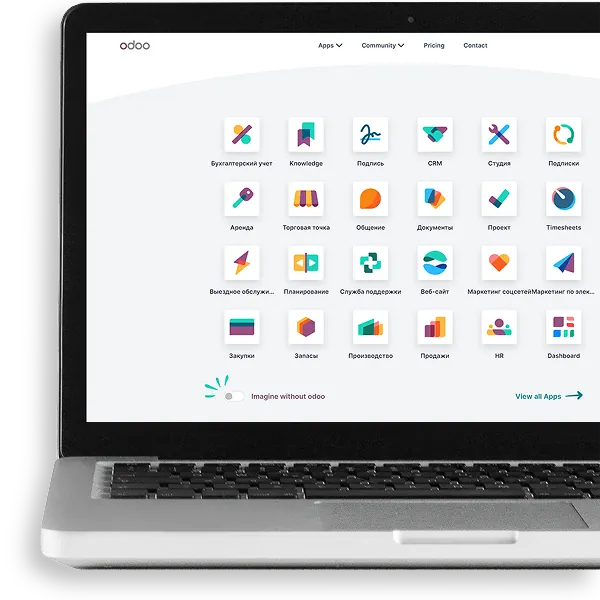

Features that will be available after integrating Odoo ERP&CRM with Goodop
Integrating CRM with Goodop opens up a new level of business management. This is an opportunity to work with the store as a single system, where all processes are interconnected and transparent. After integration, the following functions become available:
Synchronization of products.
The catalog is automatically matched between systems.
Update descriptions and images.
Editing the assortment is immediately displayed on the website.
Balance synchronization.
The quantity of goods in the warehouse always corresponds to the data in the store.
Price management.
Changes in the cost in ERP are instantly reflected in Goodop.
Transfer of statuses and TTNs.
The customer sees the current status of the order, and the business owner controls the delivery through integrated invoices.
Accounting for payments.
This allows you to get a clear picture of receipts and quickly reconcile data with the bank.
Financial analytics.
Odoo collects metrics and generates clear reports.
Integration with Goodop allows businesses to work seamlessly, smoothly, and confidently. As a result, you can control every stage - from the goods in the warehouse to the financial result.
Technical features of setting up integration with Goodtop
Integration with the Goodop platform requires attention to technical aspects. The platform has its own limitations and rules for working with data, so it is important to properly organize the interaction between the systems before launching the information exchange:
- APIs or platform exchange mechanisms. The integration works through the Goodop API. It provides data transfer between Odoo ERP and the store. It is important to remember that the API is available only on certain plans, so you need to check the terms of your package before starting.
- Support for product variations. If there are products with several characteristics (for example, size or color), the system correctly synchronizes these variations. This allows you to avoid duplication of items and maintain a clear catalog structure.
- Multisite. The program supports work with multiple warehouses. Thanks to this, balances can be maintained separately for each location, and Goodop receives up-to-date data for display on the website.
- Integration with Odoo financial modules. Orders from the store are automatically transferred to the financial blocks of the ERP. The team sees payments, expenses, and profitability in a single system, without manual data transfer.
- Requires a separate user in the store admin to integrate. For correct operation, a special account is created. It is used only for communication with Odoo, which increases security and ease of administration.
- A large product catalog may require batch synchronization. If you need to transfer thousands of items, it is better to transfer data in batches. This reduces the load on the server and ensures the stability of the process.
Please note that in order to integrate Odoo with Khoroshop, you must have Pro or B2B plans activated in your Khoroshop account and API data transfer enabled. The business gets a tool that takes into account the complexity of the assortment, omnichannel and the need for data accuracy.
Want to try Odoo and learn more?
Are you looking for an effective system to automate your business? Choose your direction:
- ERP and CRM system for manufacturing
- ERP and CRM system for an educational center
- ERP and CRM system for a travel agency
- ERP and CRM system for a cleaning company
- ERP and CRM system for beauty salons
- ERP and CRM system for a flower shop
- ERP and CRM system for sales
- ERP and CRM system for online stores
- ERP and CRM system for the commodity business